 SyncCrate
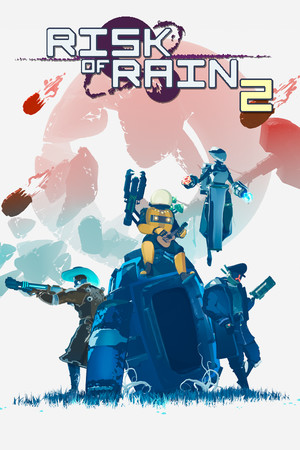
Risk of Rain 2 guide · Updated
Same Risk of Rain 2 mods for every survivor.
Content mods need the same list on every PC before the drop pod lands. SyncCrate copies the host's BepInEx mods, and the configs if you want, to the group, and after the first time only what changed.
FreeOpen sourceNo cloudWin · macOS · Linux
// 01 Why
Why modded Risk of Rain 2 won't let friends join
Many Risk of Rain 2 mods mark themselves as required for everyone. When a player's mod list differs from the host's, with a mod missing, extra or in another version, the game refuses the connection. New survivors, items and stages from mods like Starstorm 2 all fall in that group.
Big game updates make it worse. Seekers of the Storm in 2024 broke a large part of the mod scene at once, and for weeks groups had to keep checking which versions worked together.
With SyncCrate one PC hosts and the rest match it. Mods are compared by content, only the differences are copied, and everyone sees the list before anything changes.
// 02 What syncs
What SyncCrate syncs for Risk of Rain 2
| Folder | Path in the game folder | Files |
|---|---|---|
| Plugins (BepInEx) | BepInEx/plugins/Plugin .dll files with their Thunderstore manifest.json, icons and readme. | All files |
| Mod Configs | BepInEx/config/Mod settings. The host decides whether friends may sync them, so personal tweaks can stay personal. | .cfg .json |
// Where it looks
- Steam
steamapps/common/Risk of Rain 2in every Steam library, on every drive- Anywhere else
- Point SyncCrate at the folder yourself, once
Built in for Risk of Rain 2
- Script warnings.
.dllfiles run code on your PC, so they're flagged for you to review before they sync. - BepInEx check. Warns when BepInEx isn't installed on a PC, because the synced mods can't load without it.
- Disabling that sticks. Turning a mod off renames it to
.disabledin place, because the game also loads mods from subfolders. - Game-running warning. SyncCrate warns you before syncing while Risk of Rain 2 is still open.
- Undo and history. Undo the last sync in one click, and put back any single file a sync replaced or deleted.
// 03 How it works
Sync Risk of Rain 2 in three steps
Install and add the game
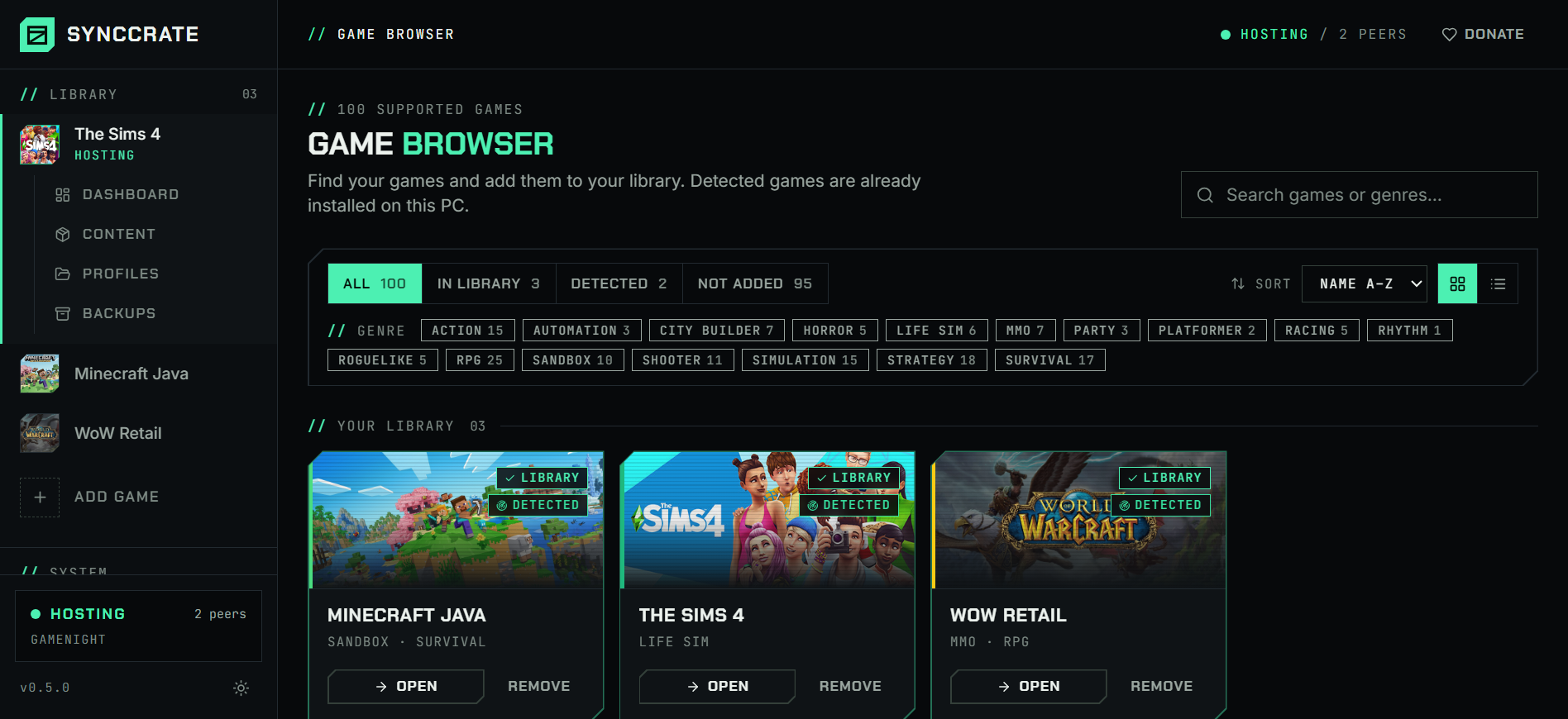
Install SyncCrate on every PC and add Risk of Rain 2 in the Game Browser. Its folder is found automatically.
One PC hosts
The PC with the setup everyone should have clicks Start Hosting. The others pick it under Scan for Hosts on the same network, or paste its join code from anywhere.
Compare and sync
Check the list of new, changed and conflicting files, then Sync Now. Only the files that differ are copied, PC to PC.
TipEvery PC needs BepInEx itself installed once (the BepInExPack from Thunderstore). SyncCrate syncs the plugins and configs and warns you if BepInEx is missing.
// 04 Common problems
When Risk of Rain 2 mods don't match
Mod list doesn't match the host
Mods that add survivors, items or stages are usually required for every player. A different list, or different versions, blocks the join.
Everyone syncs the host's plugins, so every mod list matches file for file.
A game update broke half the mods
After a big update, working versions arrive mod by mod over days or weeks, and each player updates at a different time.
Check for updates asks Thunderstore which of your mods have newer versions. The host updates as fixes arrive, everyone else syncs.
Configs change the rules
Item stacking, drop rates and difficulty tweaks live in configs, and a run is only fair when everyone uses the same ones.
Configs are a separate folder the host can share. Conflicts ask whose version to keep.
Hard to compare lists
Reading out forty mod names over voice chat to find the one that differs is nobody's idea of game night.
The Content page shows each mod's real name, version, author and icon from its Thunderstore manifest, and search finds mods by name.
// 05 Risk of Rain 2
Good to know
- r2modman or Thunderstore Mod Manager keep mods in a profile folder. In the manager use Settings → Browse profile folder, and point SyncCrate at that folder.
- DLC still counts. Mods that need Survivors of the Void or Seekers of the Storm content need the DLC on every PC. SyncCrate copies mods, not DLC.
- Plugins run code.
.dllfiles are flagged before they sync, and nothing changes until you approve the list. Only sync with people you trust.
// FAQ
Risk of Rain 2 questions
Do all players need the same mods in Risk of Rain 2?
For mods that add content, like survivors, items or stages, yes, and the game checks it at login. Client-side mods (HUD, cosmetics) can differ, but syncing from the host means nobody has to sort that out.
Why not just share an r2modman profile code?
A profile code installs a pack from Thunderstore. SyncCrate copies the host's actual files, so it also covers mods that aren't on Thunderstore and your config edits, works on a LAN without internet, and each later sync sends only what changed.
You can combine both: point SyncCrate at the r2modman profile folder.
Where are Risk of Rain 2 mods installed?
With BepInEx, in BepInEx/plugins inside the game folder, with settings in BepInEx/config. Mod managers use a profile folder with the same layout.
Does it help after a game update?
It doesn't fix broken mods, but once working versions are out, the host installs them and everyone else gets exactly those versions with one sync.
// Related game guides
All games · SyncCrate supports 100 games.
// Free · Open source · Windows, macOS, Linux
Same Risk of Rain 2 setup on every PC.
Install SyncCrate on each PC, one of you hosts, everyone else joins. No accounts, no cloud, nothing uploaded anywhere.