 SyncCrate
7 Days to Die guide · Updated
Same 7 Days to Die mods before the blood moon.
Overhauls and modlets only work in multiplayer when every PC has the right files. SyncCrate copies the host's Mods folder to everyone, and after the first time only what changed.
FreeOpen sourceNo cloudWin · macOS · Linux
// 01 Why
Why modded 7 Days to Die multiplayer breaks
Small XML-only modlets can often run on the server alone, but anything with new models, sounds, UI or code has to be installed on every player's PC too. Big overhauls like Darkness Falls or Rebirth are gigabytes of files, and a player on the wrong version sees missing textures, broken menus or can't connect at all.
Overhauls also update often, and each update means everyone downloads and unpacks the whole thing again, hoping they all picked the same version.
With SyncCrate the host's Mods folder is the reference. Friends sync from it, only the files that differ are copied, and they see the list before anything changes.
// 02 What syncs
What SyncCrate syncs for 7 Days to Die
| Folder | Path in the game folder | Files |
|---|---|---|
| Mods | Mods/Every modlet and overhaul folder, with its ModInfo.xml, XML changes, assets and code. | All files |
// Where it looks
- Steam
steamapps/common/7 Days To Diein every Steam library, on every drive- Anywhere else
- Point SyncCrate at the folder yourself, once
Built in for 7 Days to Die
- Script warnings.
.dllfiles run code on your PC, so they're flagged for you to review before they sync. - Turn mods on and off. Disabled mods move to a
_Disabledfolder the game doesn't load. - Game-running warning. SyncCrate warns you before syncing while 7 Days to Die is still open.
- Undo and history. Undo the last sync in one click, and put back any single file a sync replaced or deleted.
// 03 How it works
Sync 7 Days to Die in three steps
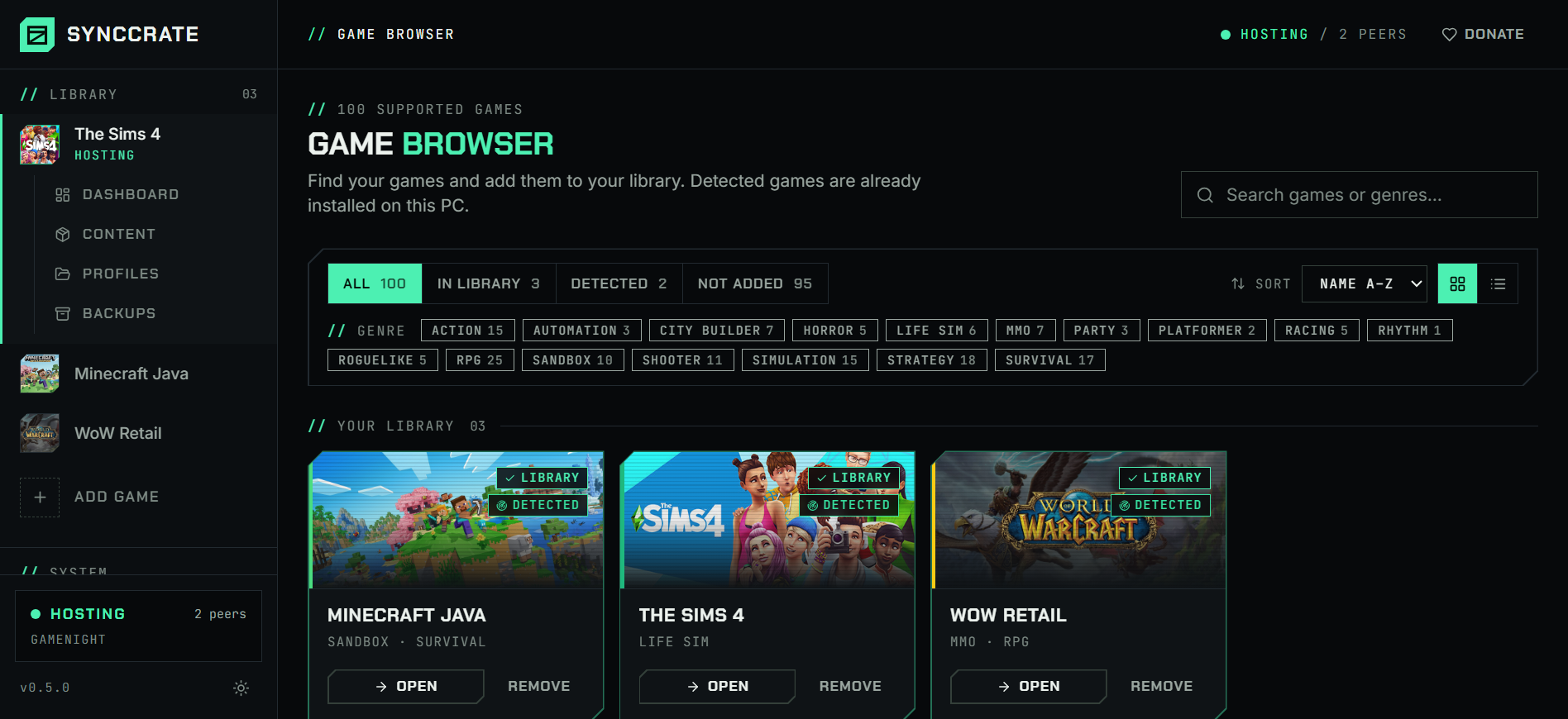
Install and add the game
Install SyncCrate on every PC and add 7 Days to Die in the Game Browser. Its folder is found automatically.
One PC hosts
The PC with the setup everyone should have clicks Start Hosting. The others pick it under Scan for Hosts on the same network, or paste its join code from anywhere.
Compare and sync
Check the list of new, changed and conflicting files, then Sync Now. Only the files that differ are copied, PC to PC.
TipMods with code (.dll) need Easy Anti-Cheat turned off, on every PC. Start the game without EAC from the launcher, as the mod's page describes.
// 04 Common problems
When 7 Days to Die mods don't match
Missing textures and broken UI
A player without the mod's assets sees placeholder textures, missing icons or a broken HUD, even if the server has everything.
Everyone syncs the host's Mods folder before joining, assets included.
Overhaul updated, everyone re-downloads
Overhauls ship as big archives. A small fix still means downloading and unpacking gigabytes on every PC.
SyncCrate compares file by file and copies only what the update changed, at local network speed at a LAN party.
Mods built for another game version
Mods made for an older alpha or version often break on the current one, and players on different game versions can't share a server.
Keep everyone on the host's exact mod files. Game versions still need to match, so update the game on every PC together.
Code mods and Easy Anti-Cheat
Mods with
.dllfiles don't load while Easy Anti-Cheat is on, which looks like the mod simply isn't there..dllfiles are flagged before they sync, so you know which mods need EAC off.
// 05 7 Days to Die
Good to know
- Saves aren't synced. 7 Days to Die keeps saves outside the game folder, and in multiplayer the world lives on the host or server.
- Dedicated server? The server needs the same mods. If it runs on a PC with SyncCrate, point SyncCrate at the server's folder and sync it like any other PC.
- Mods run code. Only sync with people you trust; nothing changes until you approve the list.
// FAQ
7 Days to Die questions
Do all players need the same mods in 7 Days to Die?
For XML-only modlets, often only the server needs them. For mods with new assets, UI or code, including all big overhauls, every player needs them too. Syncing the host's Mods folder covers both.
Where does the 7 Days to Die Mods folder go?
In the game folder: steamapps/common/7 Days To Die/Mods. Create it if it doesn't exist. SyncCrate finds the game in every Steam library.
Can I use SyncCrate for Darkness Falls or other overhauls?
Yes. Install the overhaul on the host as its instructions say, and friends get the same files with one sync. Updates later copy only the changed files.
Does it sync my 7 Days to Die saves?
No. Saves live outside the game folder, in your user profile, and aren't part of what SyncCrate syncs for this game.
// Related game guides
All games · SyncCrate supports 100 games.
// Free · Open source · Windows, macOS, Linux
Same 7 Days to Die setup on every PC.
Install SyncCrate on each PC, one of you hosts, everyone else joins. No accounts, no cloud, nothing uploaded anywhere.