 SyncCrate
Minecraft Java guide · Updated
Same Minecraft mods for the whole group.
Modpack night without walking every friend through the install. SyncCrate copies the host's mods, resource packs, shader packs and worlds to everyone else, and after the first time only what changed.
FreeOpen sourceNo cloudWin · macOS · Linux
// 01 Why
Why modded Minecraft breaks between friends
A modded server or a shared LAN world only works when every player has the same mods in the same versions. One friend on an older jar, one missing library mod, and they're kicked at login or stuck on a registry mismatch screen.
Modpack launchers help when the pack is published somewhere. For the pack your group put together yourselves, with a few mods from different sites, a tweaked config and a favorite shader, it usually ends up as a zip in Discord that's out of date a week later.
With SyncCrate one PC hosts and the others match it. Files are compared by content, only the differences are copied, and you see the list before anything changes.
// 02 What syncs
What SyncCrate syncs for Minecraft Java
| Folder | Path in the game folder | Files |
|---|---|---|
| Mods | mods/Your mod jars, including library mods like Fabric API. Each friend gets exactly the host's set. | .jar |
| Worlds | saves/Single-player worlds. Hand a world to a friend, or give everyone a copy of last weekend's build. | All files |
| Resource Packs | resourcepacks/Texture and resource packs, so everyone sees the same blocks. | .zip |
| Shader Packs | shaderpacks/Iris or OptiFine shader packs. | .zip |
// Where it looks
- Windows
%APPDATA%\.minecraft- macOS
~/Library/Application Support/minecraft- Linux
~/.minecraft- Anywhere else
- Point SyncCrate at the folder yourself, once
Built in for Minecraft Java
- Script warnings.
.jarfiles run code on your PC, so they're flagged for you to review before they sync. - Turn mods on and off. Disabled mods move to a
_Disabledfolder the game doesn't load. - Undo and history. Undo the last sync in one click, and put back any single file a sync replaced or deleted.
// 03 How it works
Sync Minecraft Java in three steps
Install and add the game
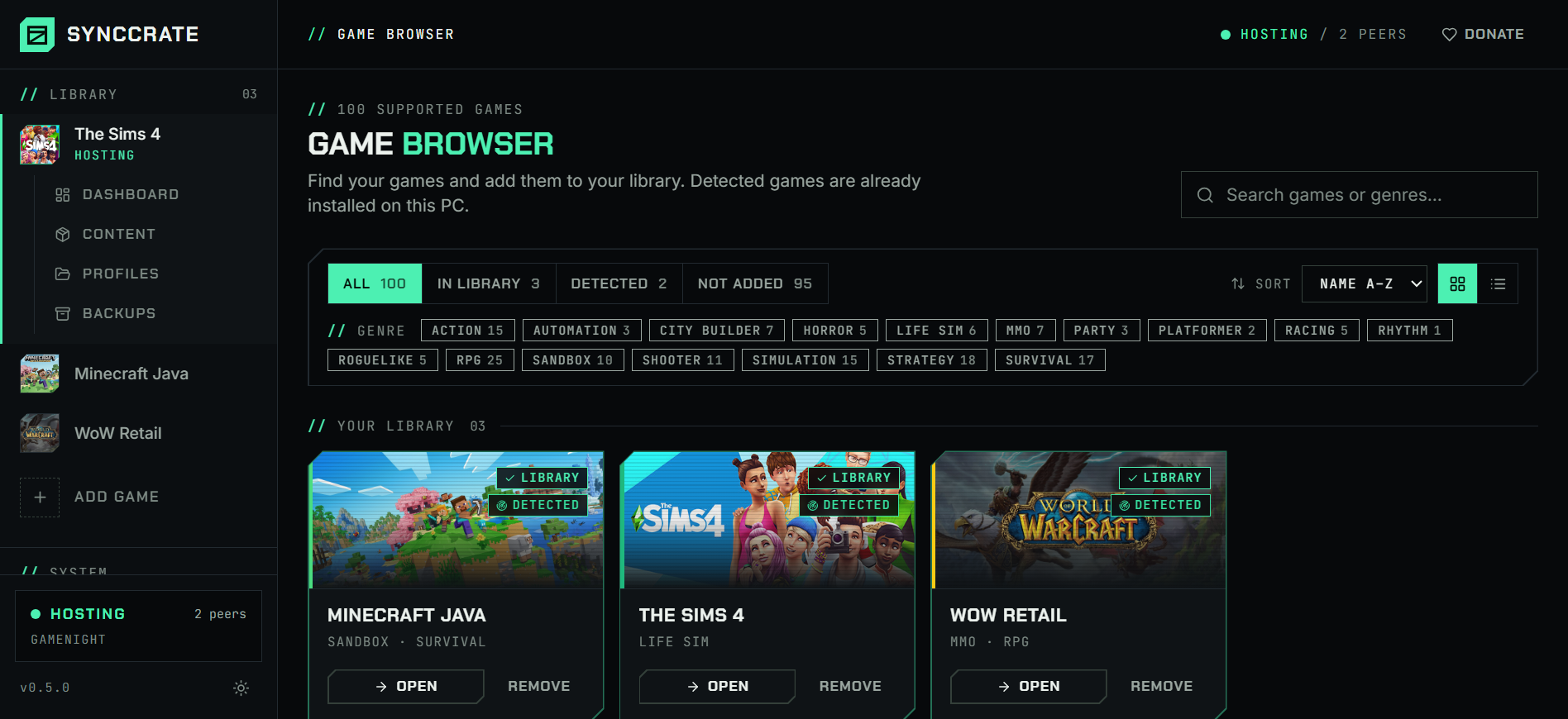
Install SyncCrate on every PC and add Minecraft Java in the Game Browser. Its folder is found automatically.
One PC hosts
The PC with the setup everyone should have clicks Start Hosting. The others pick it under Scan for Hosts on the same network, or paste its join code from anywhere.
Compare and sync
Check the list of new, changed and conflicting files, then Sync Now. Only the files that differ are copied, PC to PC.
TipEvery PC still needs the same Minecraft version and the same loader (Fabric, Quilt, NeoForge or Forge) installed once with its installer. SyncCrate copies the mods, not the loader.
// 04 Common problems
When Minecraft Java mods don't match
Kicked at login: mod mismatch
Modded servers check the mods you join with. A missing mod, an extra one or a different version gets you disconnected, often with a long list of registry errors.
Everyone syncs from the host (often the person running the server), so the mods folders match file for file before anyone connects.
Mods for the wrong Minecraft version
A jar built for 1.20.1 won't load on 1.21. When one friend updates a mod on their own, the group drifts apart.
Check for updates asks Modrinth about your mods, only for the Minecraft version you actually play. The host updates, everyone else syncs and gets only the changed jars.
Which jar is which?
Mods folders fill up with names like
sodium-fabric-0.5.8+mc1.20.1.jar, and it's hard to see what a friend is missing.The Content page reads each Fabric, Quilt, NeoForge or Forge jar and shows the mod's real name, version, author and icon, and search finds mods by name.
Resource packs and shaders don't match
Mods are only half the look. Without the same resource pack and shader pack, screenshots and builds look different on every PC.
Resource packs and shader packs sync as their own folders, and each friend gets the host's set.
// 05 Minecraft Java
Good to know
- Using a launcher with instances (CurseForge, Prism, Modrinth App, ATLauncher)? Each modpack has its own folder. Point SyncCrate at that instance's folder instead of
.minecraft, once. - Mods run code.
.jarfiles are flagged before they sync, and nothing changes until you approve the list. Only sync with people you trust. - Your settings stay yours. Only the mods, worlds, resource pack and shader pack folders sync. Your
options.txt, keybinds and accounts are never copied. - Java Edition only. Bedrock (Windows 10/11, consoles, phones) keeps add-ons in a different place and isn't supported.
// FAQ
Minecraft Java questions
How do I share my Minecraft mods with a friend?
Install SyncCrate on both PCs and add Minecraft Java. You click Start Hosting, your friend picks you under Scan for Hosts (same network) or pastes your join code (anywhere), then clicks Compare & Sync. Their mods folder ends up matching yours.
Where is the Minecraft mods folder?
In .minecraft/mods: %APPDATA%\.minecraft on Windows, ~/Library/Application Support/minecraft on a Mac and ~/.minecraft on Linux. SyncCrate finds it automatically. Launchers with instances keep a separate folder per modpack.
Does SyncCrate install Fabric or Forge?
No. Each PC installs the loader once with its official installer, for the same Minecraft version. After that, SyncCrate keeps the mods themselves in sync.
Can I use it with a modpack from CurseForge or Modrinth?
Yes. Point SyncCrate at the instance folder. It's most useful once the group changes the pack: added mods, updated jars or edited configs reach everyone with one sync, without publishing anything.
Can I send a Minecraft world to a friend?
Yes. Worlds in saves sync too. Treat one copy as the current one: if both of you played the same world since the last sync, pick the same side for all of its files, because mixing files from two copies can break the world.
// Related game guides
All games · SyncCrate supports 100 games.
// Free · Open source · Windows, macOS, Linux
Same Minecraft Java setup on every PC.
Install SyncCrate on each PC, one of you hosts, everyone else joins. No accounts, no cloud, nothing uploaded anywhere.