 SyncCrate
The Sims 2 guide · Updated
Share your Sims 2 hood and its Downloads.
Move a neighborhood and all its CC to a new PC, or hand a legacy to a friend. SyncCrate copies the Downloads, Neighborhoods and SavedSims folders, and after the first time only what changed.
FreeOpen sourceNo cloudWin · macOS · Linux
// 01 Why
Why moving a Sims 2 neighborhood is risky
A Sims 2 neighborhood is fragile. Move it to a PC without the same Downloads and Sims lose their clothes and hair, lots lose objects, and in the worst case the neighborhood gets damaged when the game tries to clean up what it can't find.
With the Legacy Collection on Steam and EA app, a lot of players are setting the game up again on new PCs, with CC folders collected since 2004.
SyncCrate copies Downloads, Neighborhoods and SavedSims from one PC to another. Files are compared by content, only the differences are copied, and you see the list before anything changes.
// 02 What syncs
What SyncCrate syncs for The Sims 2
| Folder | Path in the game folder | Files |
|---|---|---|
| Downloads (CC) | Downloads/CC and hacks (.package) in Downloads, in whatever subfolders you use. | .package |
| Neighborhoods | Neighborhoods/Every neighborhood, with its lots, families and Storytelling screenshots. | All files |
| Saved Sims | SavedSims/Sims saved to the Sims bin in SavedSims. | All files |
// Where it looks
- Documents folder
EA Games/The Sims 2,EA Games/The Sims 2 Legacy,EA Games/The Sims 2 Ultimate Collectioninside your Documents folder- Documents folder
Electronic Arts/The Sims 2inside your Documents folder- Anywhere else
- Point SyncCrate at the folder yourself, once
Built in for The Sims 2
- Disabling that sticks. Turning a mod off renames it to
.disabledin place, because the game also loads mods from subfolders. - Duplicate finder. Finds identical files saved in different folders.
- Pack detection. Detect Packs lists the packs and DLC a PC has, and mods that look like they need one you don't have are flagged.
- Game-running warning. SyncCrate warns you before syncing while The Sims 2 is still open.
- Undo and history. Undo the last sync in one click, and put back any single file a sync replaced or deleted.
// 03 How it works
Sync The Sims 2 in three steps
Install and add the game
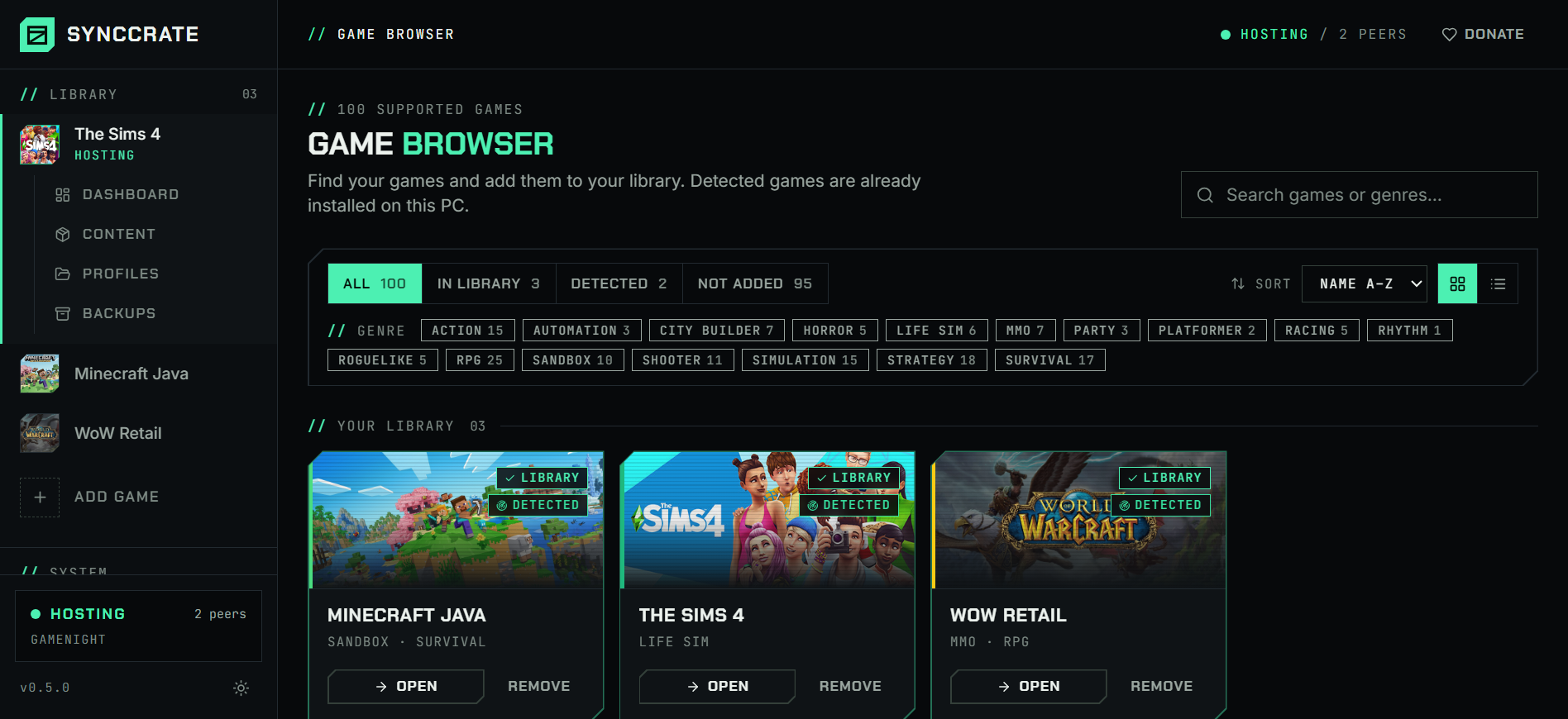
Install SyncCrate on every PC and add The Sims 2 in the Game Browser. Its folder is found automatically.
One PC hosts
The PC with the setup everyone should have clicks Start Hosting. The others pick it under Scan for Hosts on the same network, or paste its join code from anywhere.
Compare and sync
Check the list of new, changed and conflicting files, then Sync Now. Only the files that differ are copied, PC to PC.
TipClose The Sims 2 before you sync; SyncCrate warns you if it's still running. Sync Downloads before playing a neighborhood that uses them.
// 04 Common problems
When The Sims 2 mods don't match
Missing CC in a moved neighborhood
A neighborhood played with CC needs that CC. Without it, Sims show up in default clothes and lots have gaps.
Sync Downloads together with Neighborhoods, so every file the hood uses is there.
Legacy Collection vs. Ultimate Collection
The two keep their files in different Documents folders (
The Sims 2 LegacyandThe Sims 2 Ultimate Collection), and some old hacks don't work with the Legacy Collection.SyncCrate finds both folders. The files stay the same; check hacks for Legacy compatibility on the mod's page.
The same CC twice
Two decades of downloads mean duplicate packages under different names, which bloat the folder and can conflict.
The duplicate finder on the Content page finds identical files, and removed ones stay in File history.
Turning CC off without it still loading
The game loads every subfolder of Downloads, so moving a file into another folder doesn't switch it off.
Disabling renames the file to
.disabled, which the game ignores.
// 05 The Sims 2
Good to know
- Expansion and stuff packs aren't copied. Each PC needs its own game, and neighborhoods need the packs they were played with.
- **
.sims2packfiles** need installing with the game's installer or a clean installer; SyncCrate syncs.packagefiles. - Your settings stay yours. Only Downloads, Neighborhoods and SavedSims sync.
// FAQ
The Sims 2 questions
How do I move my Sims 2 neighborhood to a new PC?
Install the game and SyncCrate on the new PC. Host on the old one, join from the new one and Compare & Sync, with Downloads and Neighborhoods both allowed.
Where are Sims 2 Downloads and neighborhoods?
In Documents\EA Games\The Sims 2 Legacy for the Legacy Collection, or Documents\EA Games\The Sims 2 Ultimate Collection, in the Downloads and Neighborhoods folders.
Can I give a friend my neighborhood?
Yes, together with the Downloads it uses. Your friend also needs the packs the neighborhood was played with.
// Related game guides
All games · SyncCrate supports 100 games.
// Free · Open source · Windows, macOS, Linux
Same The Sims 2 setup on every PC.
Install SyncCrate on each PC, one of you hosts, everyone else joins. No accounts, no cloud, nothing uploaded anywhere.