 SyncCrate
Baldur's Gate 3 guide · Updated
Same BG3 mods for the whole party.
Modded co-op in Baldur's Gate 3 needs the same mods in the same order on every PC. SyncCrate copies the host's mods, load order and campaign saves to the rest of the party, and after the first time only what changed.
FreeOpen sourceNo cloudWin · macOS · Linux
// 01 Why
Why modded BG3 co-op won't connect
Baldur's Gate 3 checks the mods of everyone joining a multiplayer game. When a player is missing a mod, has a different version, or has them in a different order, the join fails or the game complains about mismatched mods before the party even reaches the Nautiloid.
The load order is its own file, modsettings.lsx, and it's easy to get out of step: add one mod on the host, forget to tell everyone, and the next session starts with three players rebuilding their list over voice chat.
SyncCrate syncs the Mods folder, the load order file and the campaign saves from the host. Files are compared by content, only the differences are copied, and everyone sees the list before anything changes.
// 02 What syncs
What SyncCrate syncs for Baldur's Gate 3
| Folder | Path in the game folder | Files |
|---|---|---|
| Mods | Mods/The mod .pak files, installed by hand or with BG3 Mod Manager. | .pak |
| Mod Load Order | PlayerProfiles/Public/modsettings.lsx, which holds the load order and which mods are active, so every PC loads the same mods in the same order. | .lsx |
| Save Files | PlayerProfiles/Public/Savegames/Story/Campaign saves, so someone else can host the campaign when the usual host can't make it. | .lsv .webp |
// Where it looks
- Windows
%LOCALAPPDATA%\Larian Studios\Baldur's Gate 3- macOS
~/Documents/Larian Studios/Baldur's Gate 3- Linux
~/.steam/steam/steamapps/compatdata/1086940/pfx/drive_c/users/steamuser/AppData/Local/Larian Studios/Baldur's Gate 3- Anywhere else
- Point SyncCrate at the folder yourself, once
Built in for Baldur's Gate 3
- Turn mods on and off. Disabled mods move to a
_Disabledfolder the game doesn't load. - Game-running warning. SyncCrate warns you before syncing while Baldur's Gate 3 is still open.
- Undo and history. Undo the last sync in one click, and put back any single file a sync replaced or deleted.
// 03 How it works
Sync Baldur's Gate 3 in three steps
Install and add the game
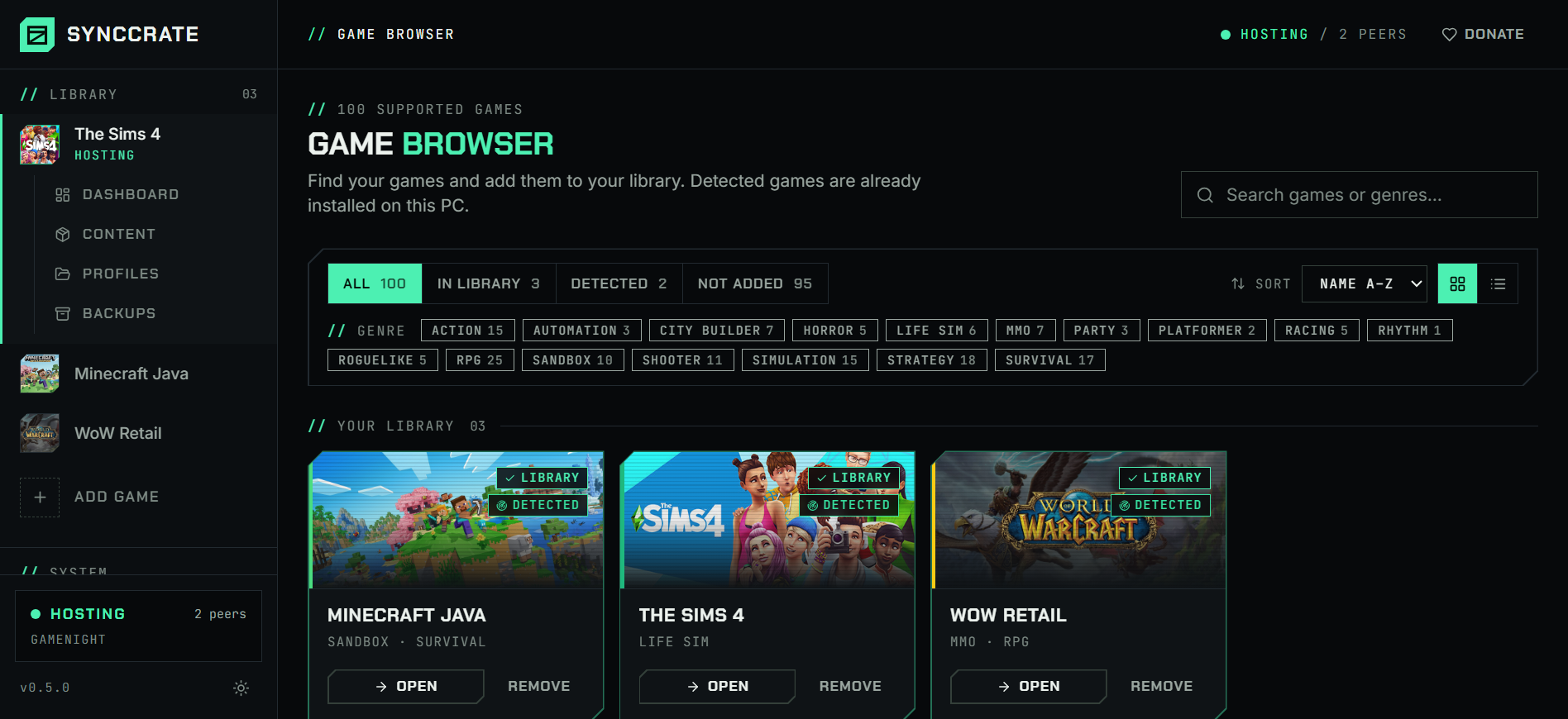
Install SyncCrate on every PC and add Baldur's Gate 3 in the Game Browser. Its folder is found automatically.
One PC hosts
The PC with the setup everyone should have clicks Start Hosting. The others pick it under Scan for Hosts on the same network, or paste its join code from anywhere.
Compare and sync
Check the list of new, changed and conflicting files, then Sync Now. Only the files that differ are copied, PC to PC.
TipMods that need Norbyte's Script Extender still need it installed on each PC. It sits next to the game's exe, outside the folders SyncCrate syncs.
// 04 Common problems
When Baldur's Gate 3 mods don't match
Mismatched mods when joining
Baldur's Gate 3 compares mods between the host and the players. Missing mods, different versions or a different order stop players from joining.
Everyone syncs the host's Mods folder and load order before the session, so the lists match exactly.
The load order keeps resetting
The game can rewrite
modsettings.lsxwhen a mod is missing or broken, and then every mod has to be re-enabled and sorted again.The host's working load order is one sync away. After a reset, sync again and the file is back as the host has it, and the replaced version stays in File history.
The host can't make it tonight
A co-op campaign lives in the host's saves. Without them, nobody else can host and the party waits.
Campaign saves sync too, so another player can load the latest save and host, with the same mods.
Mods out of date after a patch
Larian's patches often break mods until they're updated, and players who update at different times end up on different versions.
The host updates the mods once and everyone else syncs, getting only the changed
.pakfiles.
// 05 Baldur's Gate 3
Good to know
- Windows and Mac together. SyncCrate runs on both and the mod files are the same, so a Mac player can get the host's mods. Mods that need Script Extender only work on Windows.
- Saves are shared by folder. Syncing saves gives friends the host's campaign saves. If the same save changed on both PCs, you choose which one to keep.
- Only these folders sync: the Mods folder, the load order file and campaign saves. Graphics settings and keybinds aren't copied.
// FAQ
Baldur's Gate 3 questions
Do all players need the same mods in Baldur's Gate 3 multiplayer?
Yes, for mods that change the game, and in the same load order. The game checks when you join. Syncing from the host gives everyone the same .pak files and the same modsettings.lsx.
Where are Baldur's Gate 3 mods stored?
On Windows in %LOCALAPPDATA%\Larian Studios\Baldur's Gate 3\Mods, with the load order in PlayerProfiles\Public\modsettings.lsx next to it. On a Mac it's ~/Documents/Larian Studios/Baldur's Gate 3. SyncCrate finds both.
Can I give my co-op save to a friend so they can host?
Yes. Campaign saves sync from the host, so your friend can load the latest one and host it, with the same mods and load order.
Does it work with BG3 Mod Manager?
Yes. BG3 Mod Manager installs mods into the Mods folder and writes the load order to modsettings.lsx, which are exactly what SyncCrate syncs. Friends don't need BG3 Mod Manager to get the result.
Does SyncCrate install Script Extender?
No. Each Windows PC installs it once. SyncCrate syncs the mods and the load order.
// Related game guides
All games · SyncCrate supports 100 games.
// Free · Open source · Windows, macOS, Linux
Same Baldur's Gate 3 setup on every PC.
Install SyncCrate on each PC, one of you hosts, everyone else joins. No accounts, no cloud, nothing uploaded anywhere.