 SyncCrate
Mount & Blade: Warband guide · Updated
Same Warband modules on every PC.
A modded Warband server only lets in players with the right module. SyncCrate copies the host's mod modules to each friend, and after the first time only the files that changed. Native and the DLC stay where they are.
FreeOpen sourceNo cloudWin · macOS · Linux
// 01 Why
Why modded Warband is hard to set up for a group
Warband mods are whole modules: a folder with its own troops, items, scenes and scripts that replaces Native when you pick it in the launcher. To join a server running a module, every player needs that module, usually in the same version the server runs.
Many modules are big, some are only available from forums or old mirrors, and patches for them are often separate downloads. Getting a group onto the same files by hand means passing links around and hoping everyone installed them the same way.
SyncCrate copies the host's mod modules to each PC, compares every file by content, and after the first sync sends only new and changed files. You see the list before anything changes.
// 02 What syncs
What SyncCrate syncs for Mount & Blade: Warband
| Folder | Path in the game folder | Files |
|---|---|---|
| Modules | Modules/Each mod module's folder, with everything in it. Native, Napoleonic Wars and Viking Conquest are skipped. | All files |
// Where it looks
- Steam
steamapps/common/MountBlade Warbandin every Steam library, on every drive- Windows
C:\GOG Games\Mount and Blade Warband- Anywhere else
- Point SyncCrate at the folder yourself, once
Built in for Mount & Blade: Warband
- Turn mods on and off. Disabled mods move to a
_Disabledfolder the game doesn't load. - Game-running warning. SyncCrate warns you before syncing while Mount & Blade: Warband is still open.
- Undo and history. Undo the last sync in one click, and put back any single file a sync replaced or deleted.
// 03 How it works
Sync Mount & Blade: Warband in three steps
Install and add the game
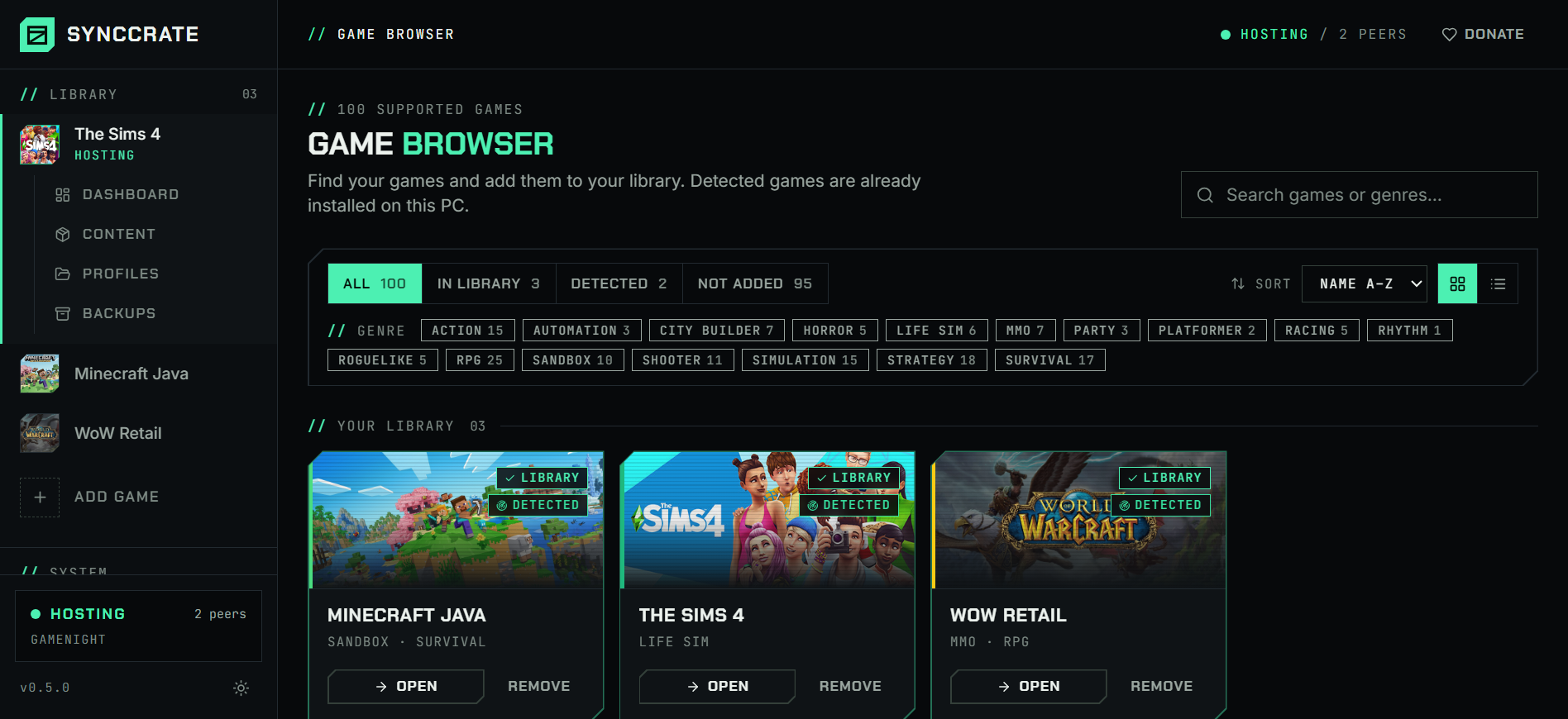
Install SyncCrate on every PC and add Mount & Blade: Warband in the Game Browser. Its folder is found automatically.
One PC hosts
The PC with the setup everyone should have clicks Start Hosting. The others pick it under Scan for Hosts on the same network, or paste its join code from anywhere.
Compare and sync
Check the list of new, changed and conflicting files, then Sync Now. Only the files that differ are copied, PC to PC.
TipWarband loads one module at a time. After syncing, pick the module in the launcher's drop-down on each PC.
// 04 Common problems
When Mount & Blade: Warband mods don't match
Can't join a modded server
A server running a module only accepts players who have it, and a different version of the module can mean a failed join or a mismatch in game.
Everyone syncs the host's Modules folder, so the module matches the host's file for file.
Patches installed differently
Module patches and submods usually overwrite files inside the module folder. Two players following the same instructions can still end up with different files.
Files are compared by hash, so any difference, even one changed text file, shows up in the plan and gets fixed.
Paid DLC in the same folder
Napoleonic Wars and Viking Conquest are DLC modules that sit next to your mods. Copying them to a friend who doesn't own them isn't OK.
Native and both DLC modules are never synced. Only mods are.
A big module over slow internet
Some total conversions are several gigabytes, and at a LAN party the internet line is shared by everyone.
Files go straight from the host to each PC at local network speed, and later syncs copy only what changed.
// 05 Mount & Blade: Warband
Good to know
- Only the Modules folder syncs. Your saves and
rgl_config.txtsettings live in Documents and stay yours. - Mods that change the exe or add files next to it aren't in Modules and aren't copied. Install those on each PC.
- Mount & Blade II: Bannerlord is a separate game in SyncCrate.
// FAQ
Mount & Blade: Warband questions
Do all players need the same module in Warband multiplayer?
Yes. To join a server that runs a module, you need that module installed, and it should be the same version the server uses.
Where are Warband mods installed?
In the Modules folder inside the game folder, one folder per module. SyncCrate finds Steam and GOG installs automatically.
Can I copy my Warband mods to a new PC?
Yes. Install SyncCrate on both PCs, host on the old one, join from the new one and Compare & Sync. Then pick the module in the launcher.
Does it copy Napoleonic Wars or Viking Conquest?
No. Both DLC modules and Native are skipped. Each player needs their own copy of the DLC.
// Related game guides
All games · SyncCrate supports 100 games.
// Free · Open source · Windows, macOS, Linux
Same Mount & Blade: Warband setup on every PC.
Install SyncCrate on each PC, one of you hosts, everyone else joins. No accounts, no cloud, nothing uploaded anywhere.